Compose module used to send Mass Text Messages
🔹 Sending or Broadcasting Mass Text Messages
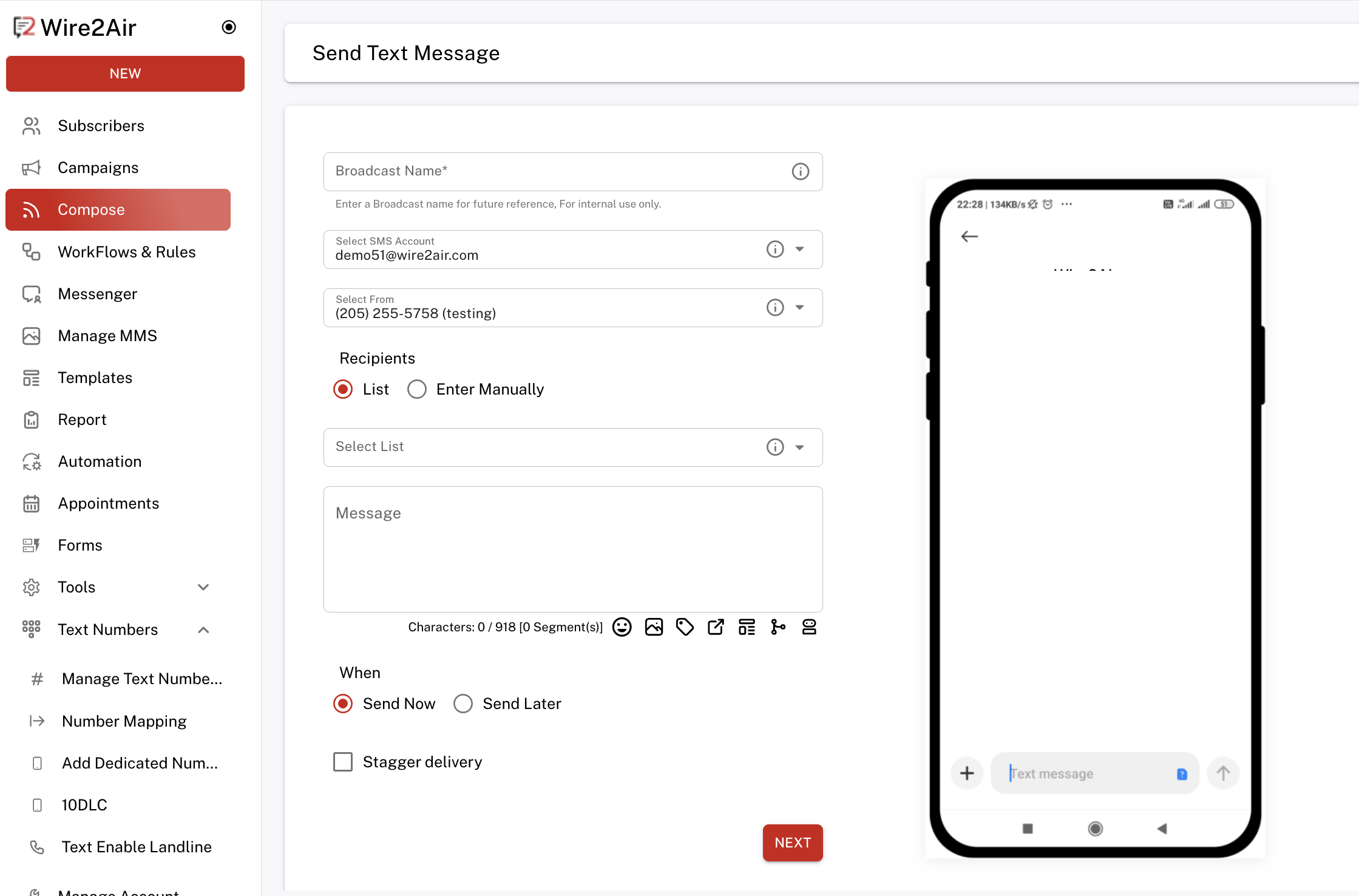
1. Navigate to "Compose"
- From the left-hand menu, click on Compose to open the message broadcast screen.
2. Broadcast Name (Required)
- Enter an internal reference name for this campaign (e.g., June Offers, Event Reminder).
3. Select SMS Account
- Choose the email account configured for sending texts.
4. Select From Number
- Choose the sender phone number (dedicated)
- Example:
(XXX) XXX-XXXX
5. Choose Recipients
- Select one of the two options:
- List: Send to an entire subscriber list (choose from dropdown).
- Enter Manually: Input numbers manually, separated by commas.
6. Compose Your Message
- Type your message in the textbox.
- The character count and number of message segments will auto-update.
- You can use icons below the message box to:
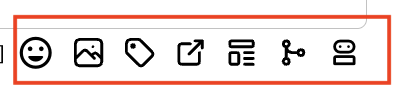
- Insert emojis 😊
- Upload media (for MMS, if supported)
- Mobile Coupons
- Shorten URLs
- Use templates
- Add personalization (merge tags)
- Use AI to compose messages
7. Choose When to Send
- Send Now: Message goes out immediately.
- Send Later: Schedule for a future time/date.
- Stagger Delivery (optional): Spread out message delivery over time to avoid throttling.
✅ Final Step: Click NEXT
- Review your broadcast in the preview.
- Confirm and send.