RCS Rich Cards
Note: Rich-card support varies by device and client. Before launching, check your audience’s device capabilities and test on representative devices to ensure a great experience. See Capability checks for details. (Google for Developers)
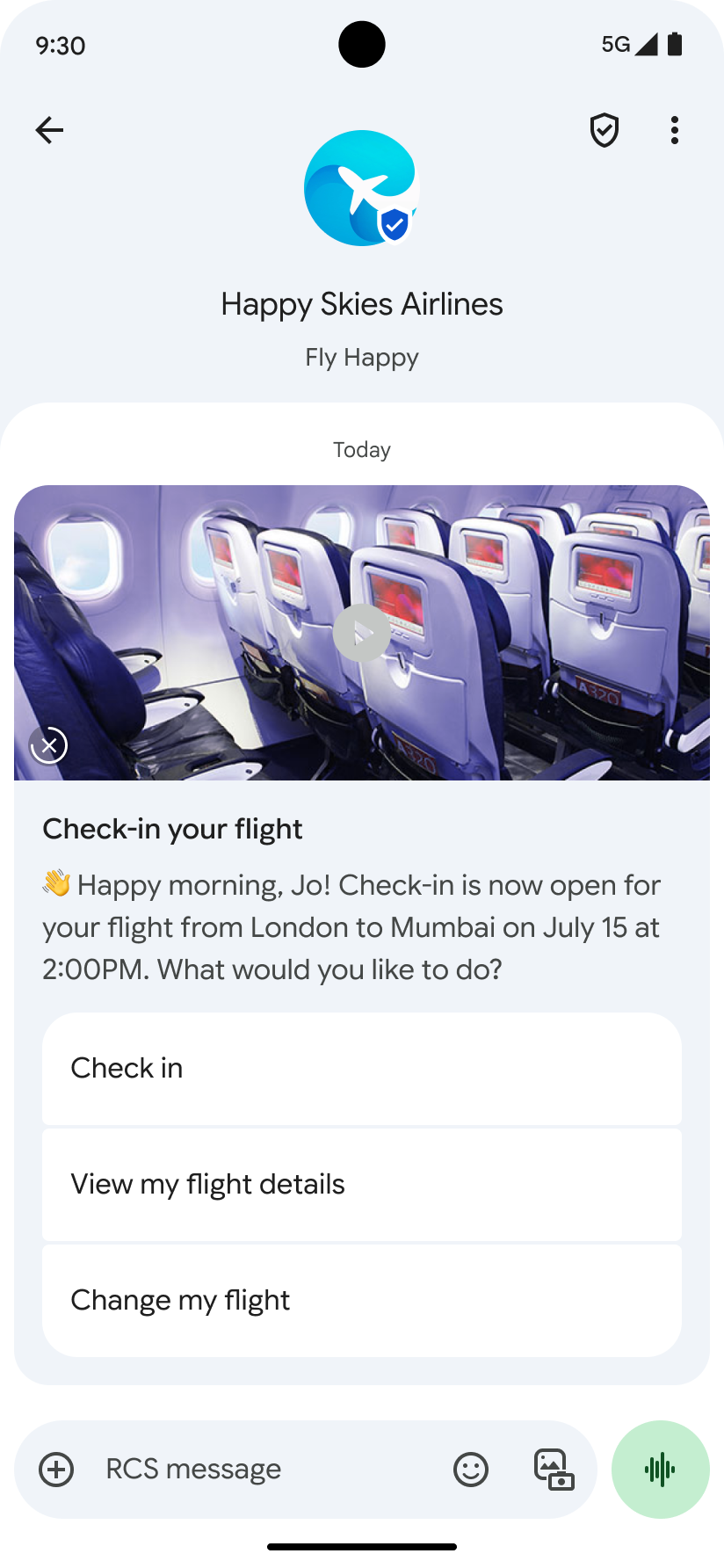
Rich cards combine media, text, and suggestions in a single message. They focus on a single topic and present clear, guided actions to users. (Google for Developers)
A rich card can include:
- Media (image/GIF, video, or PDF*)
- Title text
- Description text
- Suggested replies and actions
* Note: Sending PDF in rich cards is currently available only in India on Google Messages. (Google for Developers)
Each field is optional, but at least one of (1)–(3) must be included. (Google for Developers)

Rich card components
Media
Rich cards support images, GIFs, videos, and (in limited markets) PDFs. (Google for Developers)
Supported image types
- JPEG/JPG
- GIF
- PNG
Supported video types
- H.263
- M4V
- MP4
- MPEG
- MPEG-4
- WebM
Supported file types (market-limited)
- PDF (India on Google Messages) (Google for Developers)
Media heights
| Media type | Height |
|---|---|
| Short | 112 dp |
| Medium | 168 dp |
| Tall | 264 dp |
dp = density-independent pixels; helps keep a consistent physical size across varied screen densities. (Google for Developers)
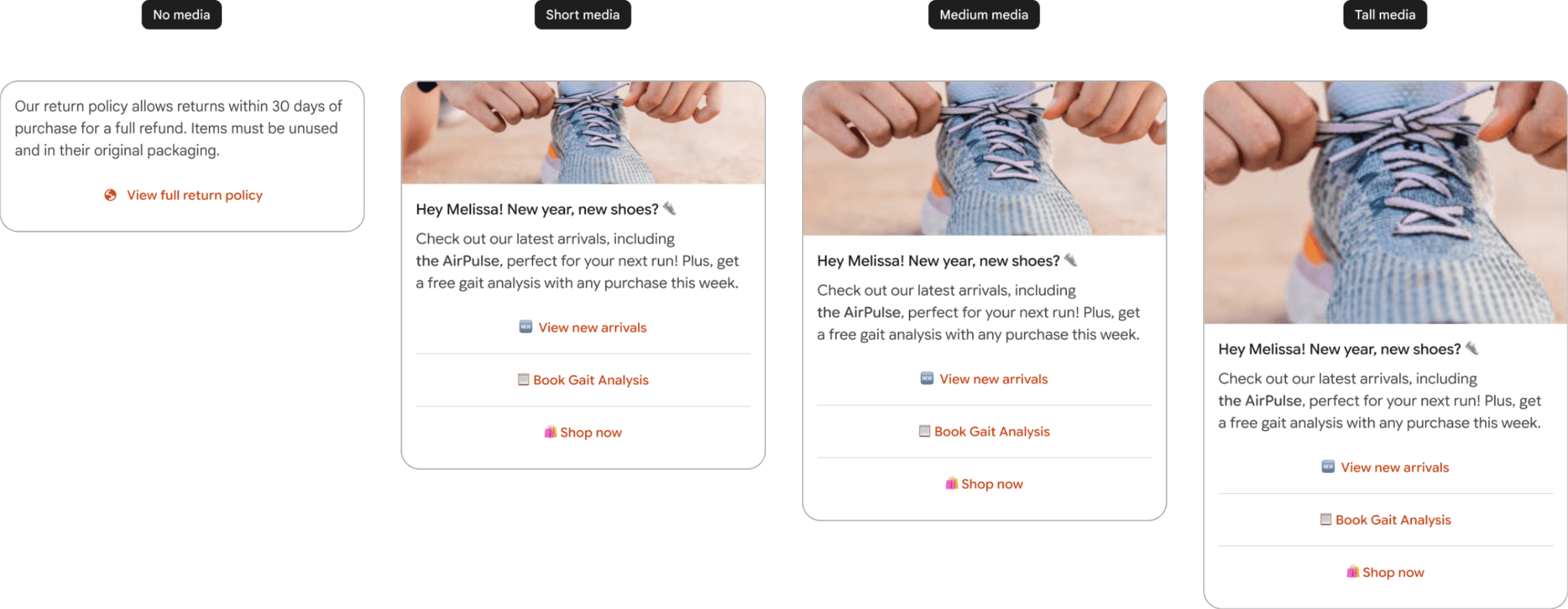
If the media’s dimensions don’t match the selected height/ratio, automatic zoom & central crop is applied. To control framing, provide a thumbnail. Tapping the preview/thumbnail opens full-screen media. (Google for Developers)
PDF behavior: The preview is generated from the first page; tapping opens a PDF viewer. If no preview (e.g., password-protected), the card shows the provided thumbnail or a default icon. (Google for Developers)
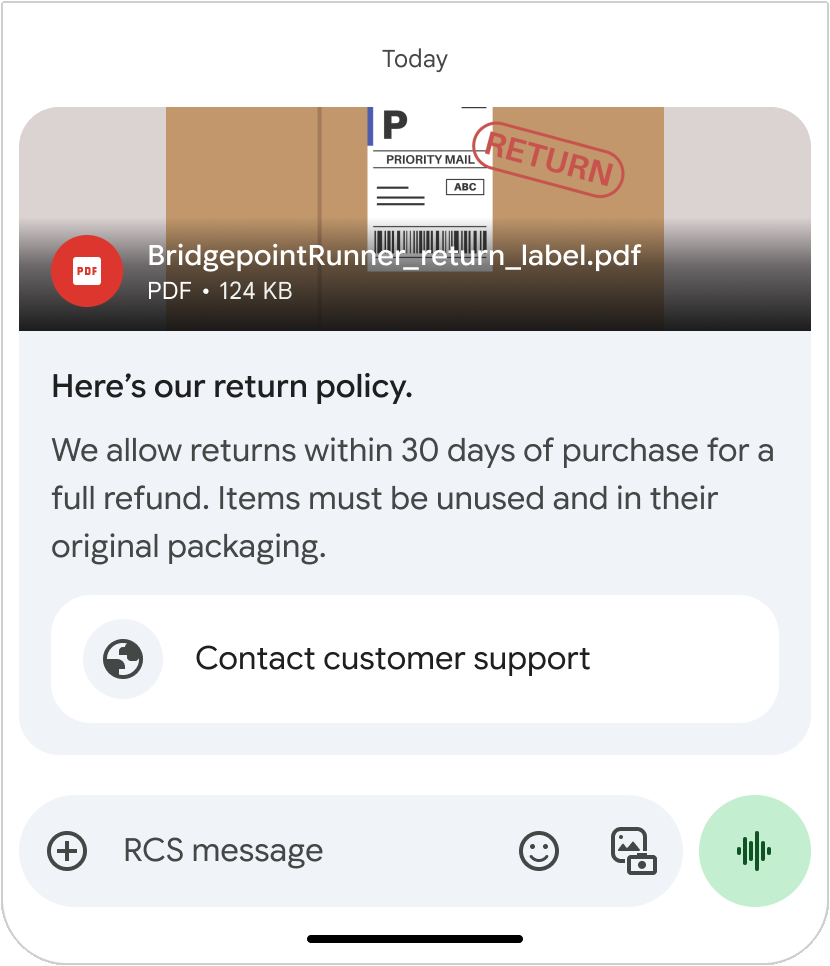
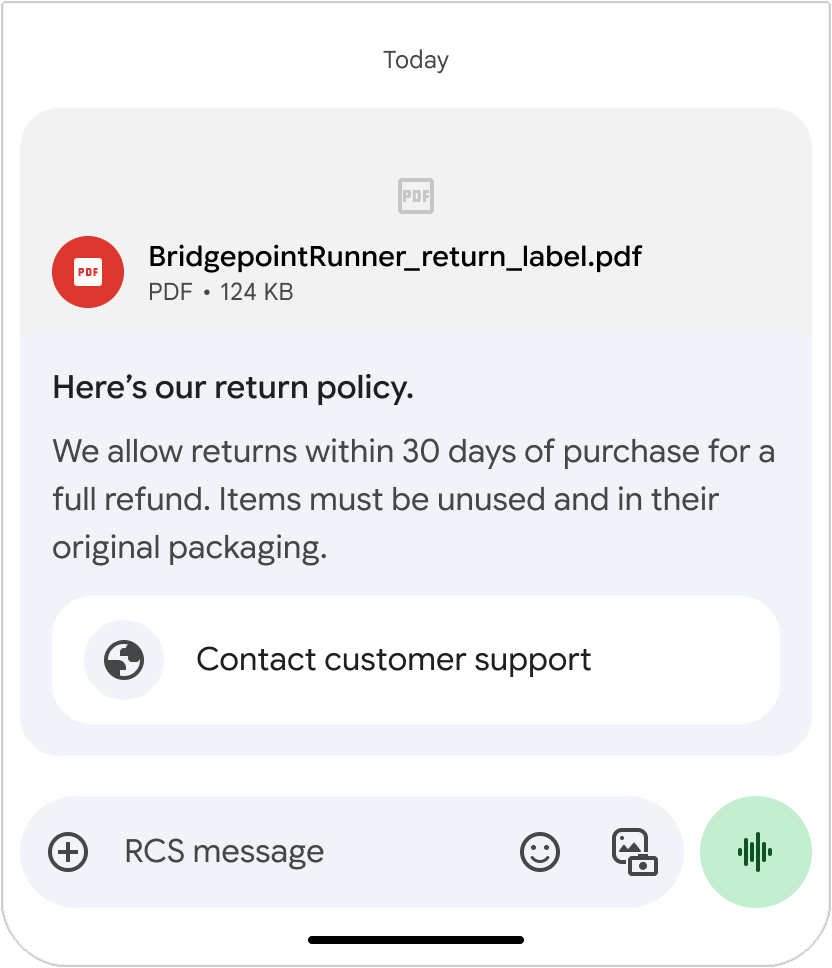
Media upload in Wire2Air: Provide a URL or upload the file via your Wire2Air workflow, then reference it in your RCS payload. See Send messages for payload specifics. (Google for Developers)
Thumbnail
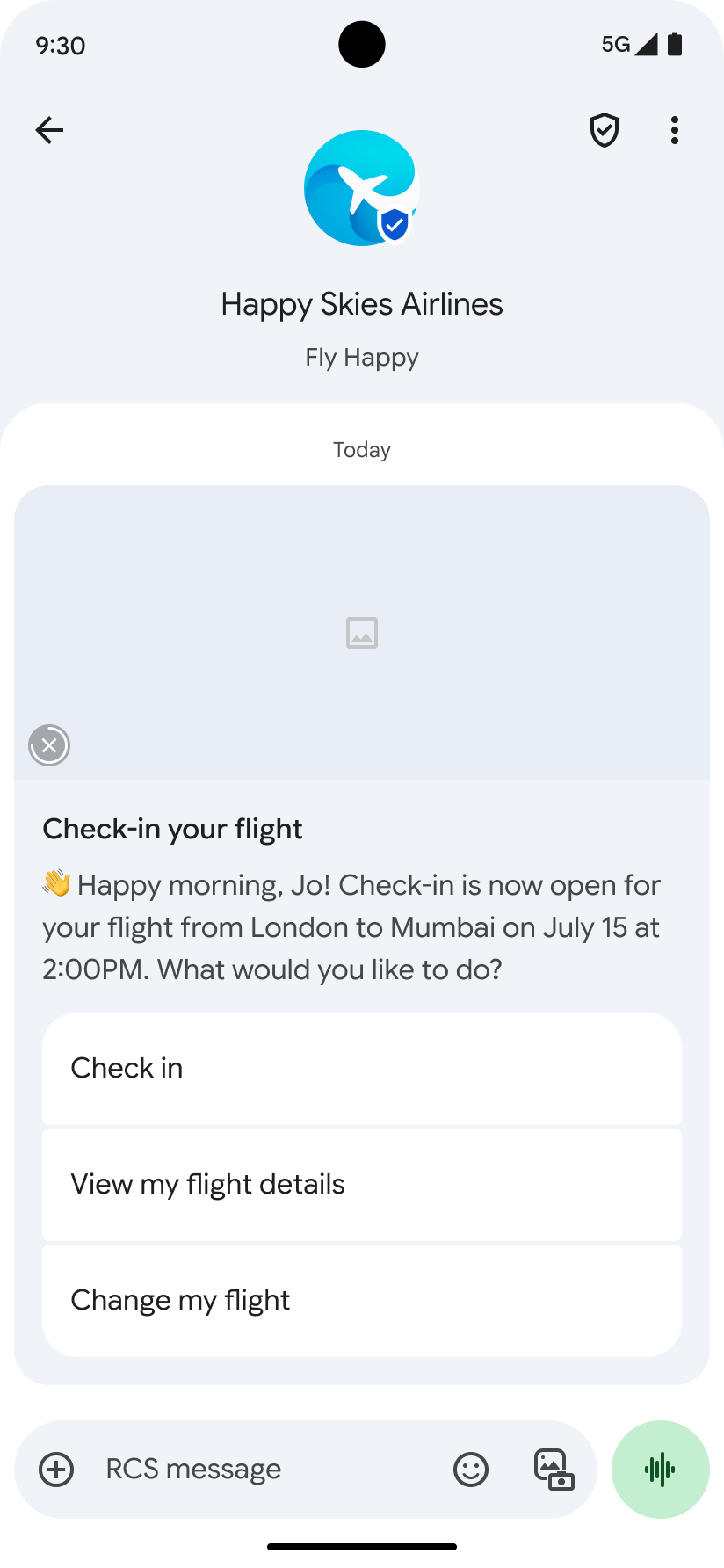
Note (Google Messages behavior): Max thumbnail size 100 kB (recommend ≤ 50 kB). If you don’t provide a thumbnail, a default icon is shown. Thumbnails remain visible during download and act as the preview for downloaded video; tapping opens full-screen media. (Google for Developers)

Title text
Use a concise, informative headline (up to 200 characters). Reminder: some special/multibyte characters (e.g., emoji) may count as 2–4+ characters. (Google for Developers)
Description
Provide supporting info, value props, and a clear call-to-action (up to 2,000 characters). (Google for Developers)
Suggested replies and actions
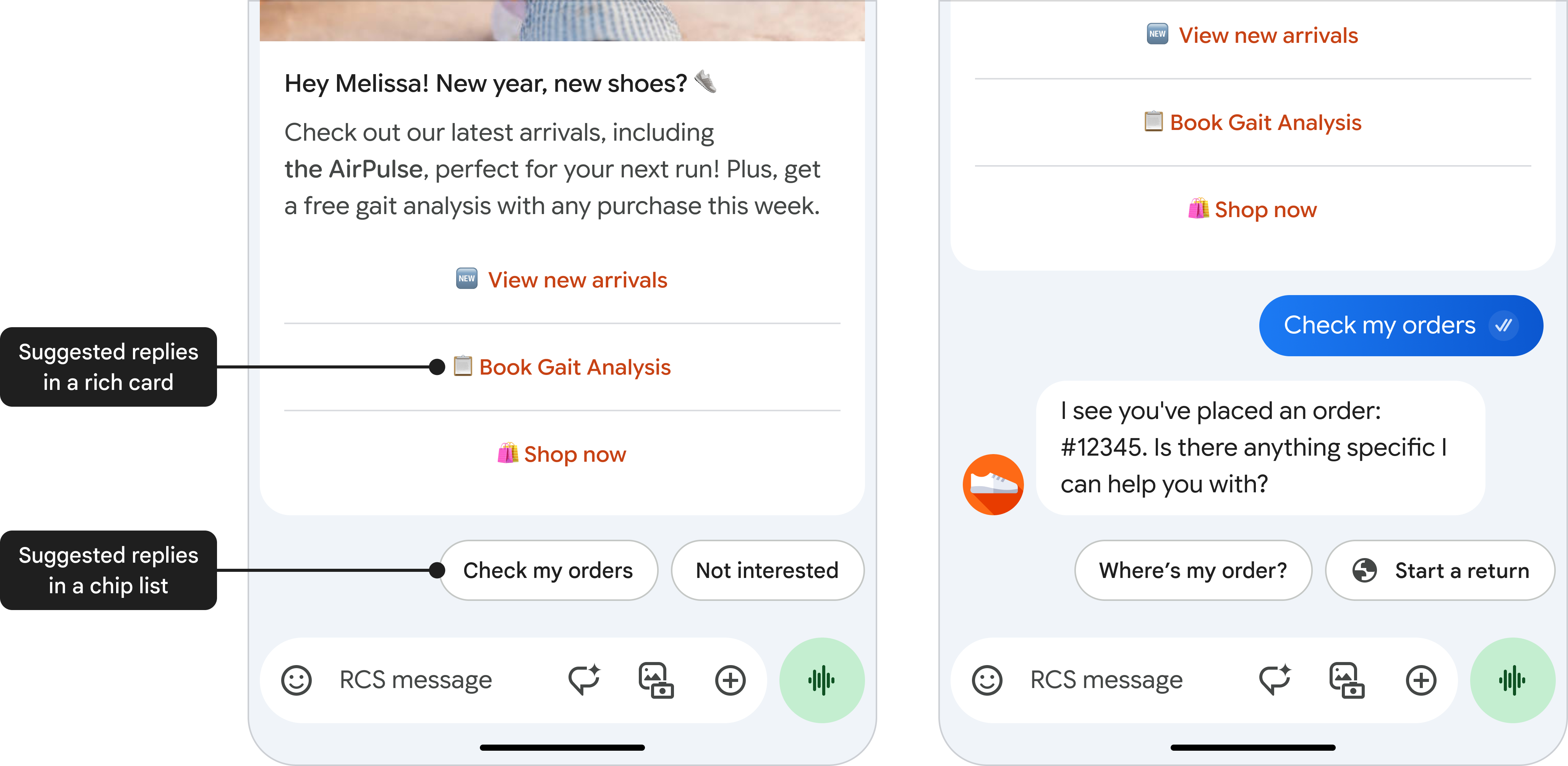
Each rich card can include up to 4 suggested replies and up to 4 suggested actions. You may also add up to 11 suggestions below the card (chip list) to advance the conversation—avoid duplicating the card’s own options. See the Suggestions reference for details. (Google for Developers)
Suggested replies
Great for guiding users down predefined paths (easier to process than free-text). Max 25 characters each. (Google for Developers)
Suggested actions
Hook into native device functions (open URL/webview, dial, view location, create calendar event, share location). Keep actions relevant and limited to avoid overload. Max 25 characters each. (Google for Developers)

Rich card layout
Rich cards can be vertical or horizontal. (Google for Developers)
Vertical rich cards
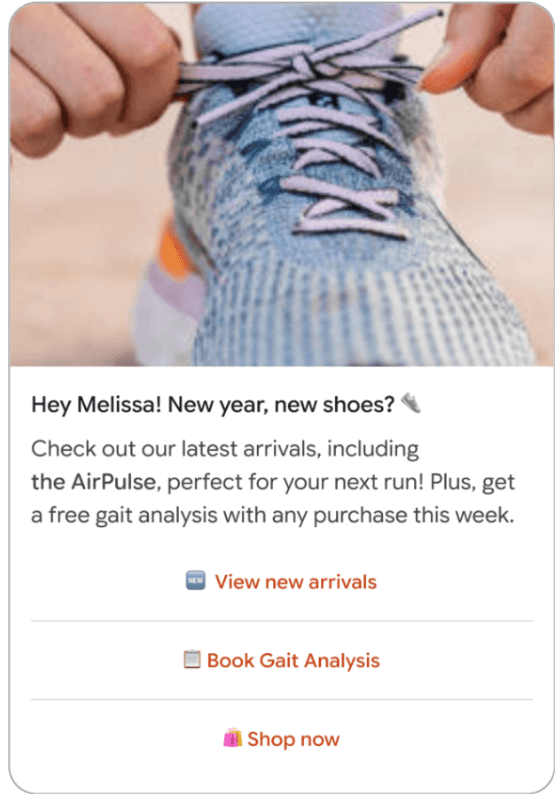
- Media at top
- Heights: 112 / 168 / 264 dp
- Aspect ratios: 2:1, 16:9, 7:3
- Minimum card height: 112 dp (Google for Developers)
Horizontal rich cards
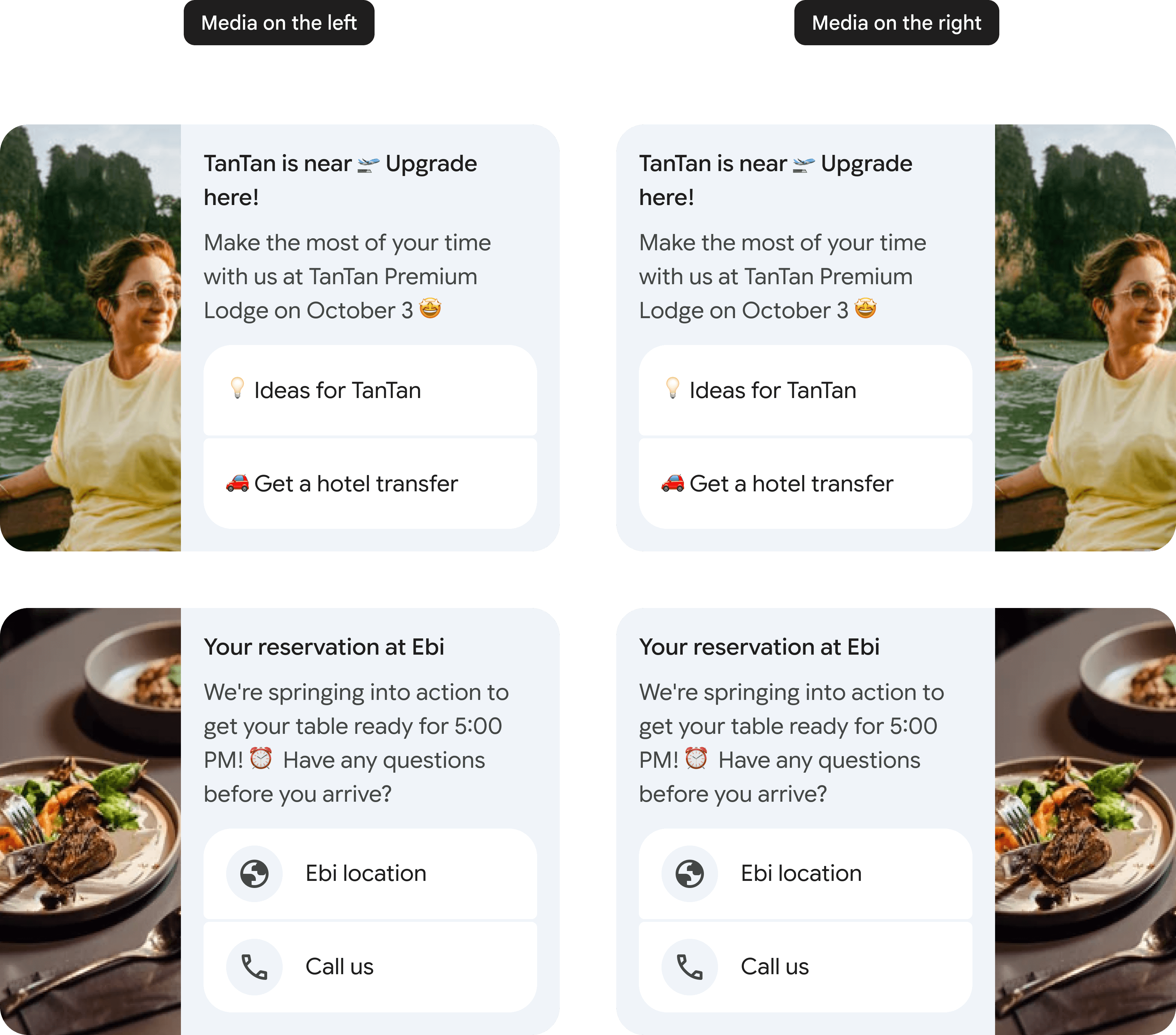
- Media on left or right
- Fixed media width: 128 dp (height scales to text content) (Google for Developers)
Rich card carousels
Send a standalone card or a carousel (ideal for browsing/compare: plans, devices, products). Carousels use vertical cards only and support up to 10 cards. Put the optimal choice first and make that reason obvious. You can also include a chip list below the carousel to move the conversation forward (don’t repeat carousel options). (Google for Developers)
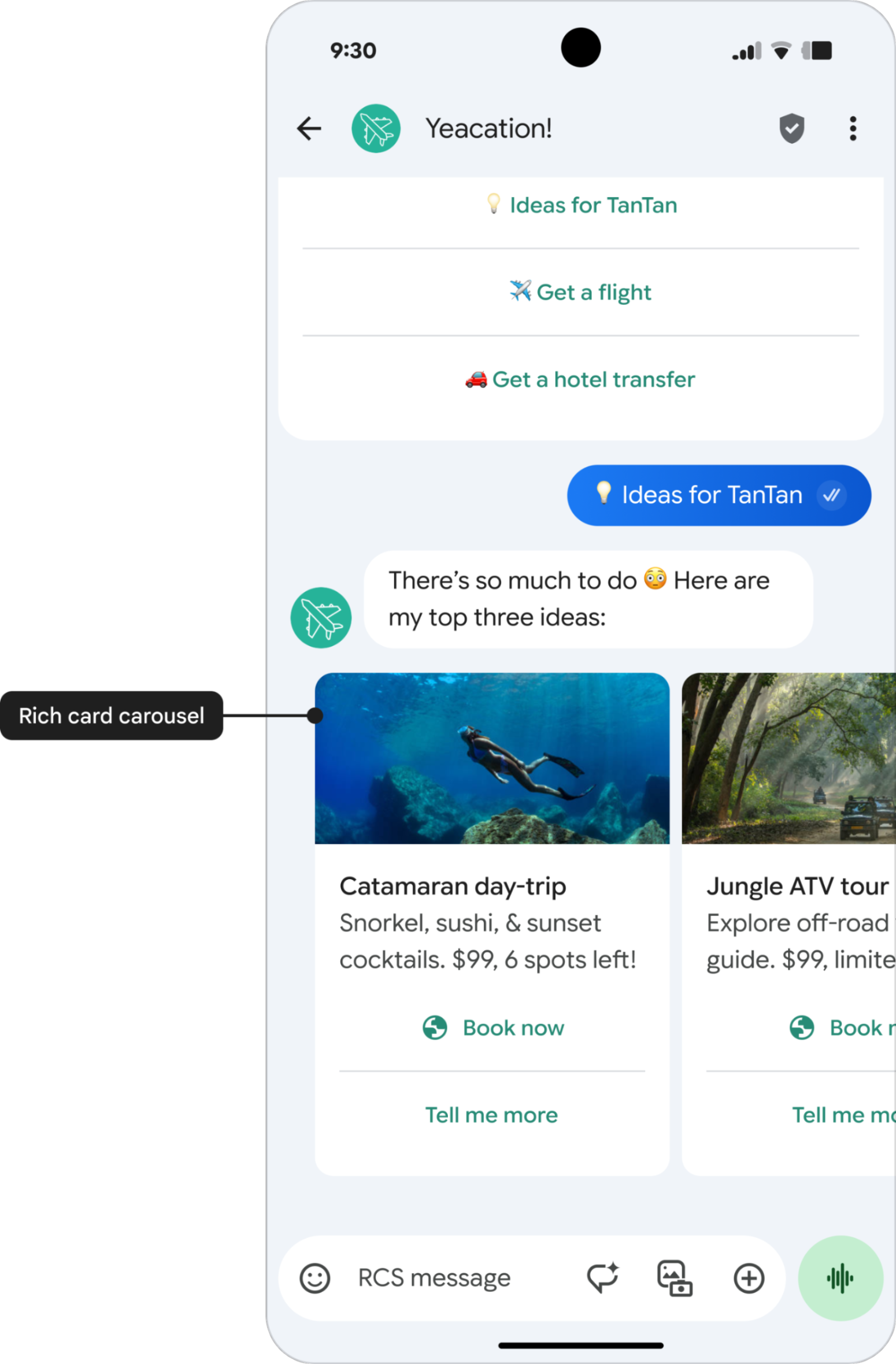
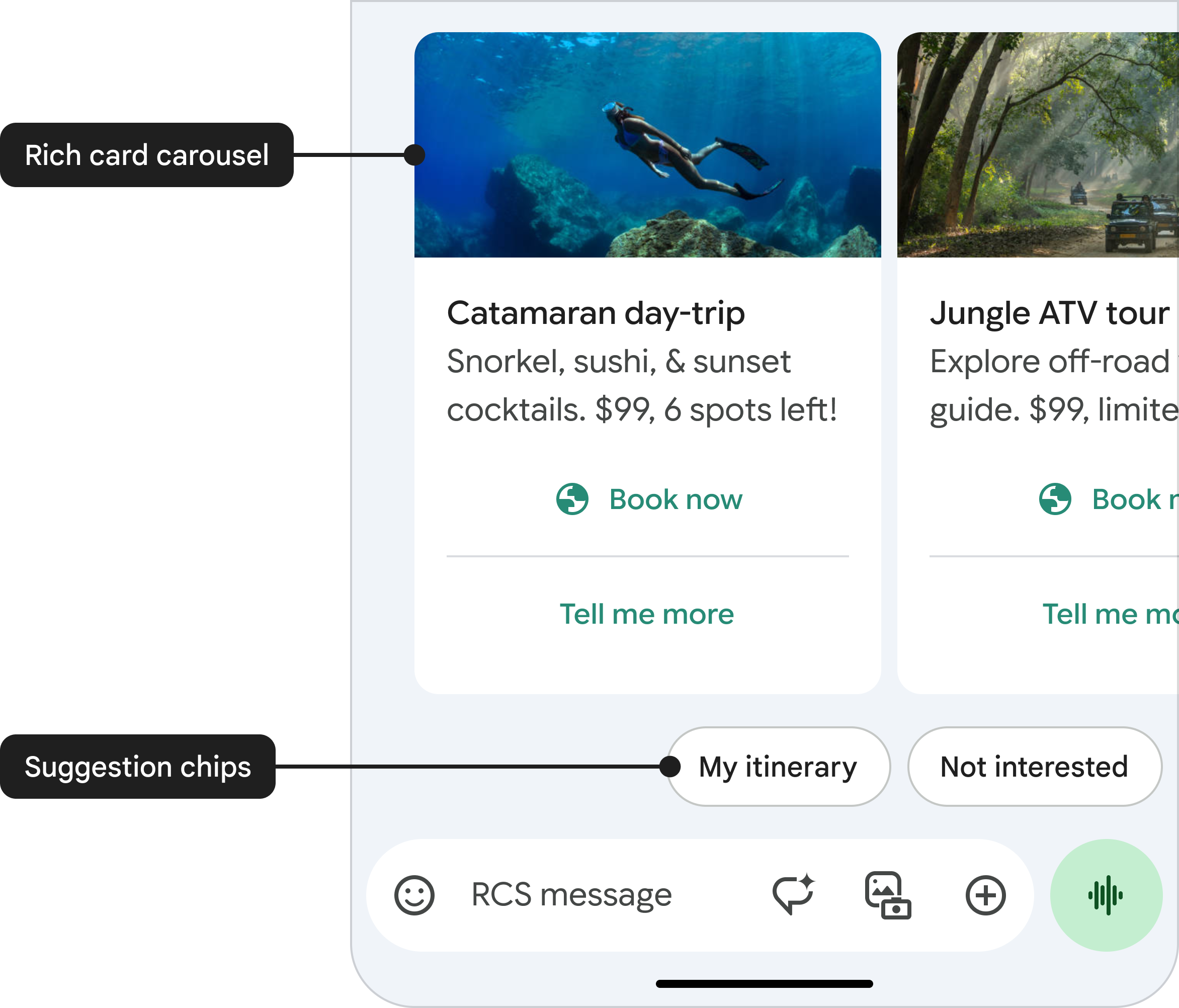
Carousel specifications
Note: Specs here describe the standard view before user interaction. For full-screen, see below. (Google for Developers)
| Spec | Details |
|---|---|
| Title | Max 200 characters |
| Description | Max 2,000 characters |
| Height | Small: max 542 dp; Medium: max 592 dp. All cards scale to the height of the tallest card. See Content sizing & truncation. (Google for Developers) |
| Width | Small: 180 dp (fixed) • Medium: 296 dp (fixed) (Google for Developers) |
Content sizing and truncation
If carousel content is shorter than the minimum height, extra whitespace is added. If it exceeds the maximum height, truncation occurs in this order:
- Description → 1 line
- Title → 1 line
- Suggestions → removed
- Description → removed
- Title → removed
To ensure users can read everything, carousels support an expandable full-screen view. (Google for Developers)
Full-screen view for carousels
The full-screen view helps avoid lost content from truncation and lets designers safely use the full text limits. No implementation work is required—it’s automatic for carousels (not for standalone cards). Existing character and suggestion limits remain unchanged. (Google for Developers)
Open: When content is truncated, a More button appears; users can tap More or the card text area to expand.
Close: Tap X, use system back, or choose a suggestion.
Navigate: Vertical scroll within a card; horizontal swipe between cards. (Google for Developers)
Full-screen specifications
| Spec | Details |
|---|---|
| Media height | 264 dp (always Tall) |
| Media width | screenWidth − 32 dp (16 dp margins each side). Central-crop rules still apply. (Google for Developers) |
Suggestions in full-screen
Behavior depends on suggestion type:
- Open URL: Opens browser or webview overlay; returning restores full-screen view.
- Dial / View Location / Create Calendar Event: Opens the corresponding app; returning restores full-screen view.
- Share Location: Closes full-screen and opens Maps; after sending location, user returns to standard chat.
- Suggested reply: Closes full-screen; reply is sent in the standard chat. (Google for Developers)
Limits (summary)
- Title: up to 200 chars
- Description: up to 2,000 chars
- Media heights: 112 / 168 / 264 dp
- Carousel size: 2–10 cards
- Suggestions per card: up to 4 replies and up to 4 actions; optional chip list (≤ 11) below card/carousel
- Max payload size: 250 KB for a rich-card message (Google for Developers)
Using Rich cards with Wire2Air RCS
- Plan content: Select media + title + description + the most relevant suggestions.
- Pick layout: Single card (vertical/horizontal) or carousel (vertical only).
- Prep assets: Optimize media dimensions; add thumbnails where framing matters.
- Build payload: Use Wire2Air’s RCS message model (standalone card or carousel) and include media URLs/uploads plus suggestions. See Google’s phones.agentMessages structure for reference. (Google for Developers)
- Capability checks: Verify device support; configure SMS/MMS fallback in Wire2Air for non-RCS devices. (Google for Developers)
- QA on devices: Confirm sizing, cropping, and truncation behavior across target phones.
- Monitor & iterate: Track taps and replies; refine copy, ordering, and suggestion labels over time. (Google for Developers)